
Couplings
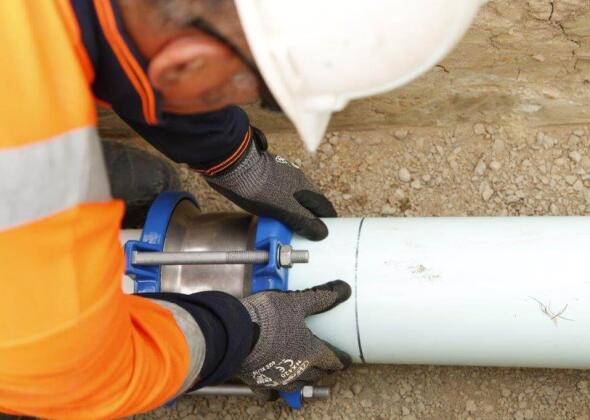
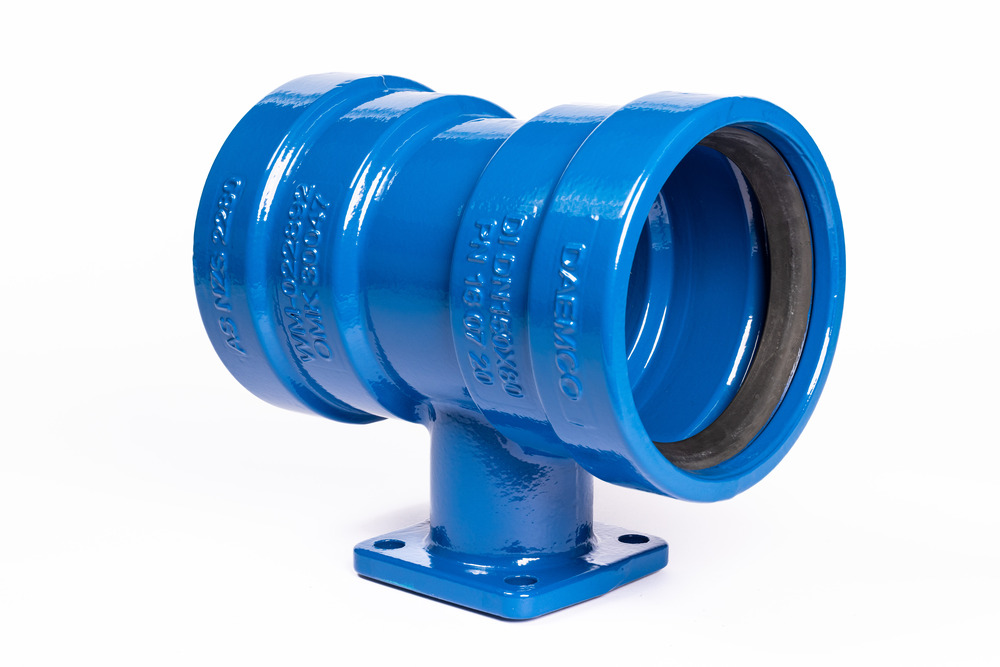
Iplex offers an extensive range of AVK couplings. AVK product is made in modern factories with the latest state-of-the-art technology, resulting in top quality and innovative products supporting the Iplex range of pipes, enabling a complete market solution.
Technical Guide
Features & Benefits
Applications
The wide range of AVK couplings are suitable for installation in the following applications:
- Water supply
- Sewage treatment
- Mining/Industrial
- Gas
- Dams & Reservoirs
- Fire
Advantages
- Non restrained
- Angular deflection of ±3 degrees (total 6 degrees)
- For water and sewer applications 60°C
Product Details
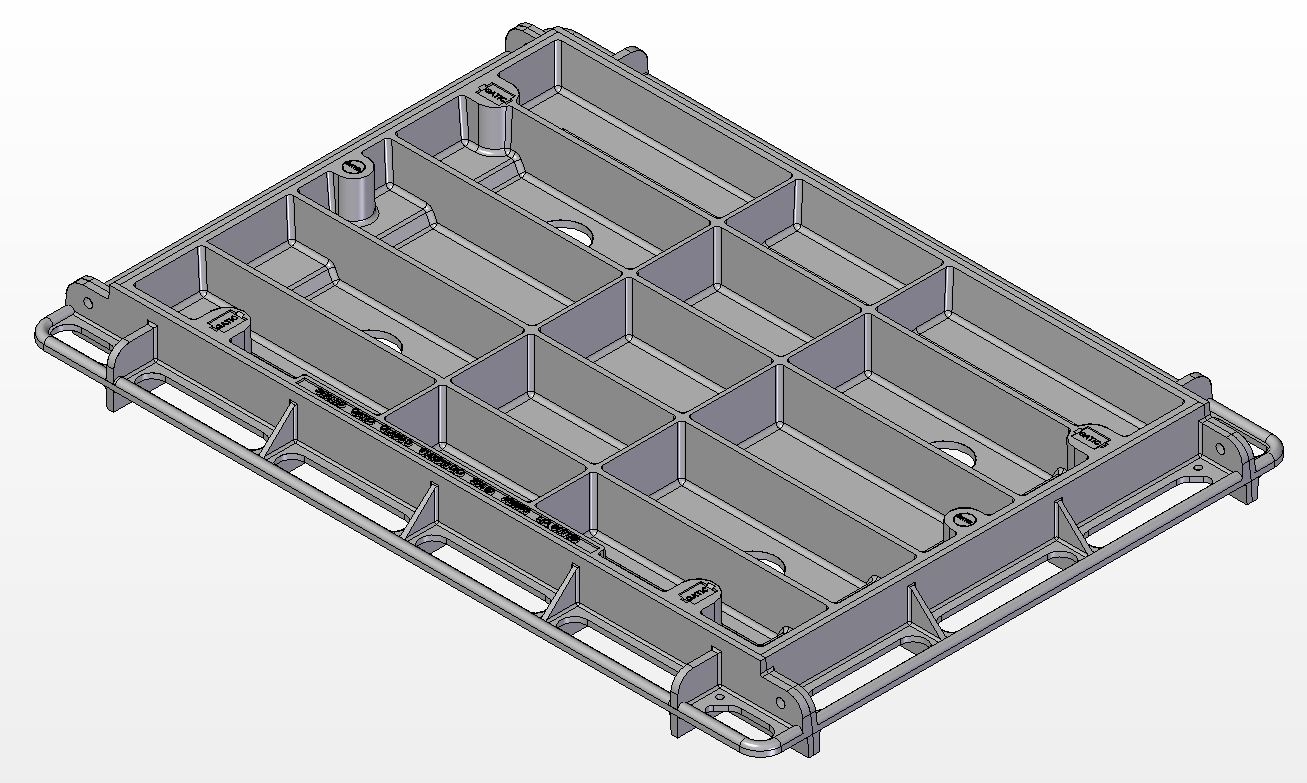
Product dimensions
AVK Straight Coupling
AVK SUPA gib STRAIGHT COUPLING 601 v2
AVK UNIVERSAL STRAIGHT COUPLING PN16 601A 023 v3
AVK UNIVERSAL STRAIGHT COUPLING PN16 601A 024 v3
AVK UNIVERSAL STRAIGHT COUPLING PN16 601A 025 v3
AVK Step Coupling
AVK universal step COUPLING pn16 602 3 001 v5
AVK Flanged Coupling
AVK SUPA PLUSTM ADAPTOR 623 10 v4
AVK universal flange adaptor pn16 603A 4312 v4
AVK Blank Coupling
AVK SUPA gib BLANK END 605 50 001 v2
AVK Support Bush
Certifications & Approvals
Standards and approvals
AVK Couplings are manufactured to the Australian Product Standard under third party accreditation quality management assurance systems conforming to ISO 9001.
- AS/NZS 4998:2009 bolted unrestrained mechanical couplings for waterworks purposes
- AS/NZS 4020
- Flange drilling to AS 4087 B5
Installation & Handling
Installation, Operation & Maintenance Manuals
AVK SEries 05 Support Bush Supa Plus Bolt Torque IOM Manual
AVK SEries 601 602 603 605 univerSal couplings adaptors end caps IOM Manual
Need help?
To speak with an Iplex sales & service team member
<!-- NOTE: Please add the following <META> element to your page <HEAD>. -->
<!-- If necessary, please modify the charset parameter to specify the -->
<!-- character set of your HTML page. -->
<!-- ---------------------------------------------------------------------- -->
<META HTTP-EQUIV="Content-type" CONTENT="text/html; charset=UTF-8">
<!-- ---------------------------------------------------------------------- -->
<!-- NOTE: Please add the following <FORM> element to your page. -->
<!-- ---------------------------------------------------------------------- -->
<form class="[ js-salesforce-form ]" action="https://webto.salesforce.com/servlet/servlet.WebToCase?encoding=UTF-8" method="POST">
<input type=hidden name='captcha_settings' value='{"keyname":"Toast","fallback":"true","orgId":"00D5i000009OHAY","ts":""}'>
<input type=hidden name="orgid" value="00D5i000009OHAY">
<input type=hidden name="retURL" value="http://">
<input type=hidden name="RecordTypeId" value="012N0000003OnNDIA0">
<input type=hidden name="subject" value="New Web Enquiry">
<input type=hidden name="Webform__c" value="Products">
<input type=hidden name="type" value="Product Enquiry">
<input type=hidden name="Origin" value="Web">
<input type=hidden name="Webform_Type__c" value="Metals">
<input type=hidden name="Webform_Sub_Type__c" value="Couplings ">
<input type=hidden name="Lead_Source_Web_Origin__c" value="">
<!-- ---------------------------------------------------------------------- -->
<!-- NOTE: These fields are optional debugging elements. Please uncomment -->
<!-- these lines if you wish to test in debug mode. -->
<input type="hidden" name="debug" value=1>
<input type="hidden" name="debugEmail"
value="[email protected]">
<!-- ---------------------------------------------------------------------- -->
<div class="salesforce-field half">
<label for="name"></label><input required id="name" maxlength="80" name="name" placeholder="First name" size="20" type="text" />
</div>
<div class="salesforce-field half">
<label for="name"</label><input required id="00N5i00000IoH6V" maxlength="255" name="00N5i00000IoH6V" placeholder="Last name" size="20" type="text" />
</div>
<div class="salesforce-field half">
<label for="email"></label><input required id="email" maxlength="80" name="email" placeholder="Email address" size="20" type="text" />
</div>
<div class="salesforce-field half">
<label for="phone"></label><input required id="phone" maxlength="40" name="phone" placeholder="Phone number" size="20" type="text" />
</div>
<div class="salesforce-field">
<label for="company"></label><input required id="company" maxlength="80" name="company" placeholder="Company" size="20" type="text" />
</div>
<div class="salesforce-field half">
<label></label><select id="00N5i00000IoH6N" name="00N5i00000IoH6N" title="Existing Customer">
<option value="" selected disabled>Are you an Iplex account holder?</option>
<option value="Yes">Yes</option>
<option value="No">No</option>
</select>
</div>
<div class="salesforce-field half">
<label></label><input id="00N5i00000IoH6M" maxlength="255" name="00N5i00000IoH6M" placeholder="Iplex account number" size="20" type="text" />
</div>
<div class="salesforce-field half">
<label></label><select required id="00N5i00000IoH6U" name="00N5i00000IoH6U" title="State">
<option value="" selected disabled>Select your state</option>
<option value="Australian Capital Territory">Australian Capital Territory</option>
<option value="New South Wales">New South Wales</option>
<option value="Northern Territory">Northern Territory</option>
<option value="Queensland">Queensland</option>
<option value="South Australia">South Australia</option>
<option value="Victoria">Victoria</option>
<option value="Western Australia">Western Australia</option>
<option value="Tasmania">Tasmania</option>
</select>
</div>
<div class="salesforce-field half">
<label></label><select required id="00N5i00000IoH6Q" name="00N5i00000IoH6Q" title="Market">
<option value="" selected disabled>Select your market</option>
<option value="Electrical">Electrical</option>
<option value="Plumbing">Plumbing</option>
<option value="Irrigation">Irrigation</option>
<option value="Civil, Mining and Telco">Civil, Mining and Telco</option>
<option value="Gas">Gas</option>
</select>
</div>
<div class="salesforce-field">
<label for="description"></label><textarea name="description" placeholder="Type your message here"></textarea>
</div>
<div class="g-recaptcha" data-sitekey="6Lfmy90UAAAAAKAyCxbgVN6SShPhRGT0W1RxDUwT"></div><div class="js-salesforce-form-message"></div> <input type="submit" name="submit">
</form>
<script>
function joinSelection(sourceSelector, destinationId) {
var sources = document.querySelectorAll(sourceSelector);
var values = [];
sources.forEach(function (source) {
if (source.checked) {
values.push(source.value);
}
});
document.getElementById(destinationId).value = values.join(', ');
}
</script>
<script src="https://www.google.com/recaptcha/api.js"></script>